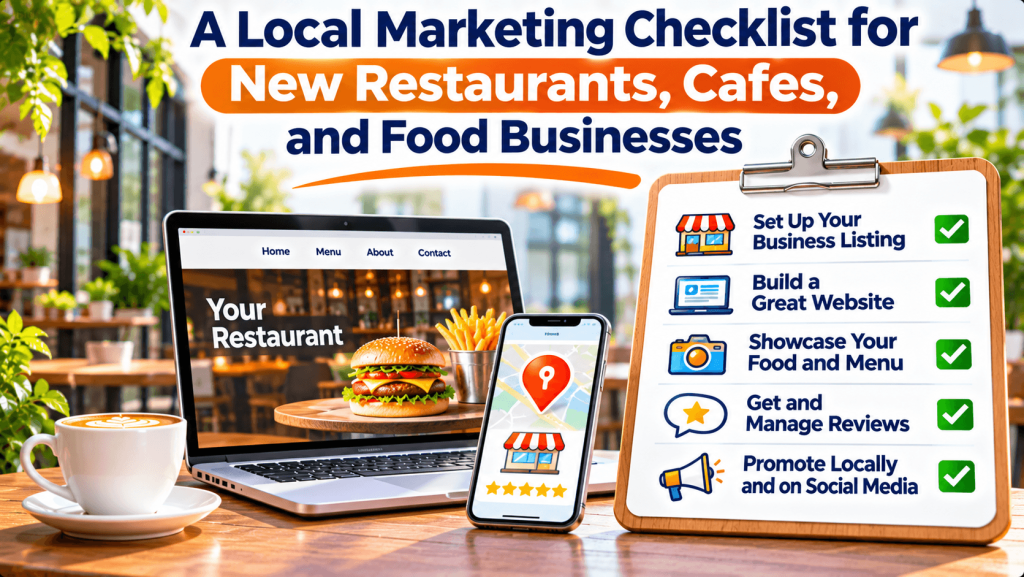
You’ve signed the lease, finished the build-out, and tested the menu a dozen times. Then opening week arrives, and the dining room is quieter than you hoped because people nearby don’t know you exist yet. For new restaurants and cafes, getting discovered online is a launch task, not something to handle after things settle down.
Set Up Your Core Listings Before Opening Day
Start with the platforms diners use to make quick decisions. Claim your Google Business Profile, Apple Business Connect listing, and Bing Places profile as early as each platform allows. Add your exact name, address, phone, website, and the most accurate primary category, such as "Mexican restaurant" or "Coffee shop."
Choose your official business name and phone number once and use them everywhere. Changing them after launch means chasing outdated details across every platform you’ve already set up.
Give Diners the Details They Search For
People deciding where to eat want practical answers fast. Are you open right now? Is there parking? Do you take reservations, offer takeout, or have vegetarian options? Fill in every attribute your listings support, and link to a menu that loads quickly on a phone.
Photos do much of the persuading. Post clear images of your best dishes, the dining space, and the storefront so first-time visitors can recognize it from the street. Update your hours promptly for holidays and soft-opening schedules, since wrong hours are one of the fastest ways to lose a new customer’s trust.
Expand Your Local Discoverability
Once your core profiles are live, add your restaurant to a few well-organized online business directories and local resources, such as your chamber of commerce or downtown business association. Choose categories carefully. A cafe listed in the Food and Drink section of Local Dir appears next to other local eateries, where people browsing for a place to eat can find it.
Common launch mistakes include using a PDF menu that’s hard to read on mobile, leaving the website field blank, and listing a personal cell phone that later changes. Also avoid asking friends and family to post reviews, which can violate platform policies. Instead, invite real guests to share honest feedback after their visit.
Conclusion
Strong food and good service are what bring people back, but accurate, complete listings help them find you the first time. Work through this checklist before opening, then revisit it monthly during your first year. Adding your restaurant to organized directories like Local Dir is a simple step toward reaching more local customers.
Frequently Asked Questions
When should a new restaurant create its Google Business Profile?
Many owners create it a few weeks before opening so the listing is verified in time. Google lets businesses add an opening date to a profile so it can appear before the doors open. Make sure your signage and address are in place, since verification may require proof that the location exists.
Should I list my food truck on business directories?
Yes, if the directory allows service-area or mobile businesses. Use your consistent business name and phone number, and link to a website or social page where you post your current schedule and locations. Since your address changes, keeping one reliable place for daily updates matters more than a fixed street address.
How should I handle a bad review during opening week?
Respond politely and briefly, thank the guest, and acknowledge the issue without arguing. If it’s a fair point, mention what you’re changing. Early reviews are often read closely, so a calm, professional reply can reassure future diners that you take feedback seriously, even while you’re still working out the kinks.
Do online menus need to match the in-store menu exactly?
They should be as close as possible, especially for prices, popular items, and dietary labels. Guests who arrive expecting a dish or price they saw online and find something different may feel misled. Update online menus whenever you make meaningful changes, and remove seasonal items once they’re gone.